
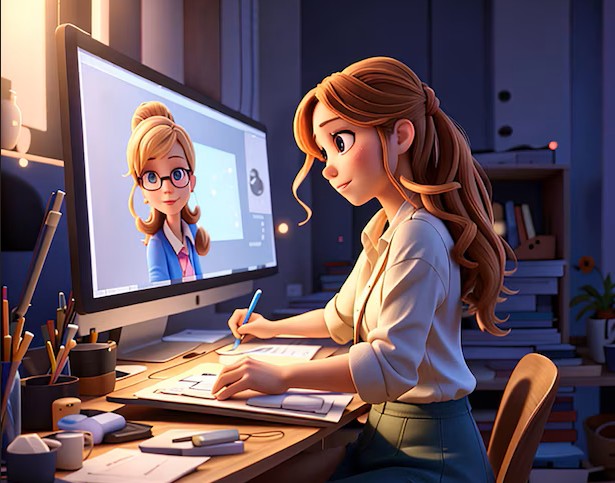
Your profile picture is often the first thing people see when they encounter your brand or personal presence online, and a static headshot no longer has to be the default. Animated avatars have become one of the most recognizable ways to stand out on social media, build a consistent visual identity, and express personality across platforms without showing your face. This guide covers the most popular solutions for creating animated avatars in 2026, along with practical tips for making avatars that look great, share easily, and actually represent who you are or what your brand stands for.
Why Animated Avatars Have Become a Social Media Standard
The shift toward animated avatars has been building for years, but in 2026 it has reached a point where animated profile visuals feel expected rather than exceptional in many online communities. Gaming communities, content creators, brand accounts, and professional consultants have all adopted avatars as a way to maintain a consistent, recognizable presence without tying their identity to a specific photograph that ages, changes, or requires a professional shoot to update.
Beyond profile pictures, animated avatars appear in video content as virtual presenters, in Discord servers and community platforms as identity markers, in newsletters and email signatures, and in short-form video as overlay elements. The versatility of a well-designed animated avatar extends its value far beyond the profile picture it started as.
The practical appeal is straightforward. An avatar can be updated instantly when your style or branding evolves. It can be designed to work at multiple sizes, from a tiny profile circle to a full-screen video element. And because it is a designed object rather than a photograph, it can be made to look exactly the way you want, free of the lighting problems, background clutter, and variable quality that come with photography.
What Separates a Great Animated Avatar From a Forgettable One
Not all animated avatars are created equal, and understanding what distinguishes a strong one from a weak one is the foundation for making good creative decisions when you build yours.
Recognizability at small sizes. Profile pictures on most platforms display at 40 to 60 pixels in feeds and notifications. An avatar that looks detailed and impressive at full size but becomes an unreadable blob at thumbnail size is not doing its job. The best avatars are designed with small-size legibility as a primary consideration, using high contrast, simple shapes, and distinctive color choices that read clearly even when tiny.
Purposeful animation. Animation should serve a reason. A subtle loop, a blinking expression, or a gentle motion effect can make an avatar feel alive and engaging without becoming distracting. Animation that is too fast, too complex, or too random pulls attention away from the content it is supposed to accompany and can feel amateurish rather than creative.
Consistency with broader brand or personal identity. An avatar that looks completely disconnected from the rest of your visual identity creates cognitive dissonance for your audience. The colors, style, and energy of your avatar should feel like a natural extension of your overall aesthetic, whether that is a playful and colorful content creator brand or a clean and professional consulting practice.
Format compatibility. Different platforms handle animated images differently. Some support animated GIFs for profile pictures. Others require static images but support animated content in posts or stories. Knowing the format requirements for the platforms you use most will determine how your animation needs to be formatted for maximum compatibility.
Tips for Creating and Sharing Animated Avatars on Social Media
1. Define Your Avatar’s Visual Identity Before You Start Designing
The most common mistake people make when creating an avatar is opening a tool and starting to click through options without a clear idea of what they want the avatar to communicate. Before you touch any design tool, spend a few minutes thinking about the impression you want the avatar to make. Should it feel approachable and friendly, or polished and professional? Should it reference your appearance, or be a completely stylized character? Should it use your brand colors, or establish a new color palette specific to your online presence?
Writing down three to five adjectives that describe the visual personality you want to project is a surprisingly effective way to guide design decisions. When you are unsure whether to choose a bolder color or a softer one, a more detailed style or a simpler one, those adjectives serve as a filter. The avatar that best matches “bold, modern, and memorable” is a different design from the one that best matches “warm, approachable, and creative.”
2. Use Adobe Express to Create a Polished, Shareable Avatar
For a browser-based tool that offers genuine creative depth without requiring design experience, the Adobe Express avatar creator is one of the strongest free options available in 2026. It provides a wide range of customization options including facial features, skin tones, hairstyles, accessories, clothing, and background elements, along with the ability to apply animation effects that bring the finished avatar to life. The platform is built for non-designers, with an interface that makes it easy to navigate options and preview results in real time.
What makes it particularly useful for social media is the export flexibility. Finished avatars can be downloaded in formats optimized for profile pictures, post graphics, and story formats across major platforms. Because it sits within the Adobe Express ecosystem, an avatar created here can be incorporated directly into other content like social media graphics, presentation slides, or branded templates without switching tools. For anyone building a consistent visual identity across platforms, this kind of integration is a meaningful practical advantage.
3. Design Your Avatar at a Higher Resolution Than You Think You Need
It is always easier to scale a high-resolution avatar down than to scale a low-resolution one up. Even if your primary use case is a small profile picture, designing at a larger canvas size preserves your options for future uses where the avatar might need to appear larger, such as a video thumbnail, a merchandise design, or a banner image.
As a general rule, design at a minimum of 1000 by 1000 pixels for a square avatar, even if the final export for a profile picture is 400 by 400 or smaller. This also ensures the avatar looks sharp on high-DPI and retina screens, which are now the norm on most smartphones and modern laptops. A slightly blurry or soft avatar in a feed full of crisp visuals is one of the small details that signals a lack of production quality to an audience, even if they cannot articulate exactly why.
4. Keep Animations Short and Loopable
The most effective animated avatars use loops that run between one and four seconds. Short loops feel intentional and polished. Long animations that take ten or fifteen seconds to complete tend to feel like watching a loading screen, and viewers rarely wait for them to finish before moving on. A loop that returns cleanly to its starting point, with no visible jump or seam at the loop point, is the technical standard to aim for.
The type of animation also matters. Subtle animations, like a gentle bobbing motion, a slow color shift, or a blinking expression, tend to age better and work across more contexts than complex, elaborate animations. A complex animation might look impressive the first time someone sees your profile, but it can feel overwhelming or distracting on repeated exposure. Subtle and clean is almost always the safer long-term choice.
5. Match Your Avatar Style to the Platform Culture
Different social media platforms have different visual cultures, and an avatar that feels perfectly calibrated for one platform can feel out of place on another. Gaming and streaming platforms like Twitch and Discord have communities that embrace detailed, character-driven avatars with bold colors and expressive designs. Professional networks favor cleaner, more grounded aesthetics. Short-form video platforms reward personality and expressiveness. Niche creative communities often have their own distinct visual vernacular.
If you are active across multiple platforms, you do not necessarily need a different avatar for each one, but you should make sure your avatar does not actively clash with the culture of any platform where it will appear regularly. A wildly expressive gaming avatar used as a LinkedIn profile picture sends a mixed signal. A stiff, overly formal avatar on a platform where playfulness is the norm can make a creator seem out of touch. The goal is a design that feels authentic to you while also reading as credible within each platform’s context.
6. Use a Transparent Background for Maximum Versatility
An avatar exported with a transparent background is dramatically more versatile than one with a solid or patterned background. With a transparent PNG, you can place the avatar on any background color, texture, or image without white boxes, color clashes, or visible edges that break the visual integration.
This matters most when using your avatar in video content, branded graphics, or presentations where the background context changes frequently. An avatar on a white background looks fine on a white slide but looks wrong on a dark or colorful background. A transparent background version of the same avatar works everywhere. Most quality avatar creation platforms offer PNG export with transparency, and it is worth confirming this option exists before committing to a platform for serious use.
7. Create Multiple Expressions or Poses of the Same Avatar
A single static or animated avatar is a starting point, but a small library of expressions or poses based on the same character design multiplies your creative options significantly. Having versions of your avatar that express happiness, surprise, focus, humor, or emphasis gives you contextually appropriate visuals to pair with different types of content.
This approach is especially effective for content creators who use avatars in thumbnail images, reaction content, or educational material where the emotional context of the image reinforces the message of the post. A library of five to eight avatar expressions built on the same character foundation gives you a flexible toolkit without requiring entirely new designs for each use case. Many avatar creation platforms make this easy by letting you adjust facial expressions and poses within the same character configuration you have already built.
8. Test Your Avatar Across Multiple Platform Preview Sizes
Before you commit to an avatar design, preview it at the actual sizes it will appear on the platforms you use. Most platforms crop profile pictures into circles, which can cut off hair, accessories, or other elements that appear at the edges of a square design. Some platforms display profile pictures at very small sizes in comments or notifications, where fine details disappear entirely.
A simple way to test this is to resize your avatar image to the actual pixel dimensions used by each platform and view it at 100 percent zoom on your screen. Many online tools let you upload an image and preview it as a profile picture in a simulated interface. Catching these issues before publishing saves the frustration of discovering that your carefully designed avatar looks wrong once it is live.
9. Align Your Avatar Colors With Your Overall Content Palette
Color consistency across your social media presence is one of the fastest ways to build brand recognition, and your avatar is a central element of that system. If your content regularly features certain accent colors, those same colors should appear in your avatar. If your feed has a warm, earthy tone, a cool blue avatar will create visual dissonance. If you use a specific color as a brand signature across your website and other materials, incorporating it into your avatar connects the two visually.
This does not mean every color in your avatar needs to be drawn from a strict brand palette. Room for personality and variation exists within a consistent color strategy. The goal is that when someone sees your avatar in a feed alongside your content, the two feel like they come from the same visual world. That feeling of coherence is what transforms individual pieces of content into a recognizable presence.
10. Export in Multiple Formats for Different Use Cases
Different platforms and use cases require different file formats, and exporting your avatar in only one format limits your flexibility. At minimum, export a high-resolution PNG for static use cases and a GIF or MP4 for animated applications. Some platforms support APNG (animated PNG), which offers better quality than GIF for animations with more than 256 colors.
Keep an organized folder of your avatar exports labeled by format and size. When a new use case comes up, having the right format already exported saves time and prevents the need to return to the design tool repeatedly. For animated avatars specifically, keep the original project file in addition to the exports, as re-exporting from the source is almost always faster and cleaner than converting between animated formats.
FAQ: Animated Avatar Apps and Social Media Sharing
What is the difference between an animated avatar and a digital avatar?
The terms overlap significantly, but there is a useful distinction. A digital avatar in the broadest sense refers to any visual representation of a person in a digital environment, whether static or animated, realistic or stylized. An animated avatar specifically refers to a digital representation that includes motion, whether that is a looping GIF, a video file, or an interactive real-time animation that responds to movement or input. In the context of social media, animated avatars most commonly take the form of looping GIF or MP4 files used as profile pictures or in posts and stories. The animation can range from extremely subtle, like a slow pulse or a blinking eye, to more elaborate character animations with gestures and expressions. For most social media use cases, a short, clean loop is both the most practical and the most widely supported form of animated avatar.
Which social media platforms support animated profile pictures?
Platform support for animated profile pictures varies and changes over time as platforms update their features. As of 2026, platforms with communities built around content creation and streaming, including certain features within YouTube and select creator tiers on other platforms, have expanded animated profile picture support. Some platforms support animated GIFs as profile pictures for all users, while others restrict the feature to verified accounts or paid subscribers. The safest approach is to verify current support on each platform’s help documentation before investing significant time in an animated format that may not display as intended. As a practical backup strategy, always maintain a high-quality static version of your avatar alongside the animated one so you have a ready alternative for platforms that do not support animation. A tool like Ezgif is useful for converting between animated formats and optimizing GIF file sizes for platforms with upload size restrictions.
How do I make my animated avatar loop smoothly without a visible jump?
A smooth loop requires that the last frame of the animation transitions naturally back to the first frame without a visible jump or seam. The most reliable technique for achieving this is to design the animation so that the final position, expression, and lighting state of the character at the end of the loop match the initial state at the beginning. In practice, this often means using easing functions that bring motion to a natural resting state before the loop restarts, rather than cutting abruptly from a position of motion back to the starting frame. Most dedicated animation tools include loop preview functionality that lets you watch the animation play continuously and identify any visible jump points before export. If you are using a simpler avatar creation platform that handles animation automatically, the loop smoothness is determined by the platform’s built-in animation engine, which is another reason to test your finished avatar by watching it loop several times before publishing.
Can I use my animated avatar for commercial purposes?
This depends entirely on the terms of service of the platform you used to create the avatar. Many free avatar creation tools permit personal use of created assets but restrict commercial use on free tiers. Others allow commercial use freely, including for content that generates revenue through advertising, sponsorships, or direct sales. Adobe Express, for example, allows commercial use of designs created on the platform, making it suitable for use in monetized content, branded merchandise, or professional client work. Before using an avatar commercially, read the licensing terms on the platform where it was created, particularly the sections covering ownership of output files and restrictions on commercial use. If the terms are unclear, contacting the platform’s support team for clarification is a reasonable step before building a commercial identity around an avatar that may have usage restrictions.
How often should I update my animated avatar?
There is no universal rule, but a useful framework is to update your avatar when something meaningful changes, rather than on a fixed schedule. If your visual brand evolves, your appearance changes significantly, the style of your content shifts, or your avatar no longer feels representative of who you are or what your brand stands for, those are all good triggers for a refresh. Updating purely for novelty can actually work against brand recognition, since audiences build familiarity with your avatar over time and a sudden change can create momentary confusion. When you do update, consider whether a gradual evolution of the existing design is more appropriate than a complete redesign. Keeping consistent elements, such as a signature color, a recurring accessory, or a characteristic expression, while updating other elements maintains recognition while signaling that the brand is growing and evolving.
Conclusion
Animated avatars have moved from a novelty to a genuine tool for building and maintaining a recognizable social media presence, and the platforms available in 2026 make creating one more accessible than ever before. Whether you are a solo content creator establishing your first online identity, a small business building brand recognition, or an experienced creator refreshing a presence that has evolved, the combination of thoughtful design choices and a capable creation tool produces results that stand out and stay consistent across platforms.
The tips in this guide cover both the creative and technical dimensions of animated avatar creation, from defining your visual identity before you start to exporting in multiple formats for maximum flexibility. Starting with a clear sense of what you want your avatar to communicate, using a tool with genuine depth and export flexibility, and testing your finished design at the sizes and on the platforms where it will actually appear are the three habits that separate avatars that build recognition from ones that blend into the background.