
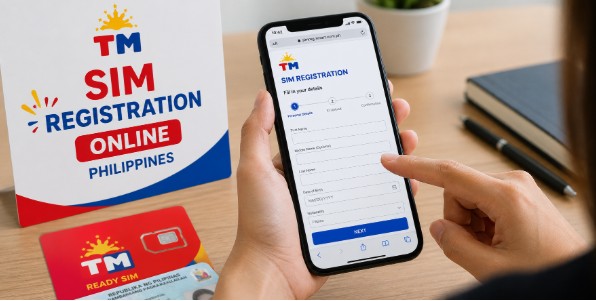
SIM registration is mandatory for all Touch Mobile subscribers in the Philippines under the SIM Registration Act (Republic Act No. 11934). Whether you are using a new or existing TM SIM card, registration is required to keep your number active and continue enjoying calls, texts, and mobile data.
This guide explains how to complete TM SIM registration, the requirements, accepted IDs, and solutions to common registration issues.
Quick Answer: How to Register a TM SIM?
To register your TM SIM card:
- Insert your TM SIM into your phone.
- Visit the official TM/Globe SIM registration portal or use the GlobeOne app.
- Enter your TM mobile number.
- Verify your number using the One-Time Password (OTP).
- Fill in your personal information.
- Upload a valid government-issued ID and selfie.
- Submit the registration form.
- Wait for the confirmation message.
After successful registration, your TM SIM will be activated automatically.
Why Is TM SIM Registration Important?
TM SIM registration helps:
- Prevent scams and fraud.
- Protect mobile users from illegal activities.
- Keep your number active.
- Comply with Republic Act No. 11934.
- Secure your identity and account information.
Requirements for TM SIM Registration
Prepare the following before starting:
| Requirements | Details |
| Active TM SIM Card | New or existing SIM |
| Mobile Number | For OTP verification |
| Valid Government ID | Any accepted ID |
| Personal Information | Full name, birth date, address |
| Selfie Photo | For identity verification |
| Internet Connection | Wi-Fi or mobile data |
Accepted IDs for TM SIM Registration
TM accepts the following IDs:
- Philippine National ID (PhilSys ID)
- Passport
- Driver’s License
- UMID Card
- SSS ID
- GSIS ID
- PRC ID
- Voter’s ID
- Senior Citizen ID
- Postal ID
- OWWA ID
- PWD ID
Accepted IDs may vary depending on your status as a Filipino citizen or foreign national.
How to Register TM SIM Online
Step 1: Insert Your TM SIM
Insert your SIM card into your phone and ensure it has network signal.
Step 2: Open the Registration Portal
Access the official TM or Globe SIM registration page or use the GlobeOne app. Avoid unofficial websites, as users have reported phishing concerns and fake registration pages.
Step 3: Enter Your TM Number
Input your mobile number and request an OTP.
Step 4: Verify Using OTP
Enter the One-Time Password sent via SMS.
Step 5: Fill Out Personal Information
Provide:
- Full name
- Date of birth
- Gender
- Address
- Nationality
Step 6: Upload a Valid ID
Upload a clear image of your government-issued ID.
Step 7: Take a Selfie
TM requires a selfie for identity verification.
Step 8: Submit the Form
Review all information and submit your application.
You will receive a confirmation message after successful registration.
TM SIM Registration Requirements for Filipinos
Filipino citizens need:
- Full name
- Date of birth
- Address
- Government-issued ID
- Selfie verification
TM SIM Registration Requirements for Foreign Nationals
Foreign users need:
- Passport
- Visa information
- Proof of Philippine address
- Return or onward ticket (for tourists)
Additional documents may be required depending on immigration status.
TM SIM Registration for Minors
Users below 18 years old must register under their parent or legal guardian.
Required documents include:
- Minor’s birth certificate
- Parent or guardian’s valid ID
- Proof of relationship
The registration will be under the guardian’s name.
Register TM SIM Through GlobeOne App
You can also register via the GlobeOne app:
- Download the GlobeOne app.
- Sign in or create an account.
- Select “Register SIM.”
- Enter your TM number.
- Verify OTP.
- Upload your ID and selfie.
- Submit the application.
Many users recommend the GlobeOne app as a safer alternative to unofficial websites.
How Long Does TM SIM Registration Take?
| Process | Estimated Time |
| Form Completion | 5–10 minutes |
| OTP Verification | Few seconds |
| Approval | Immediate to 24 hours |
| SIM Activation | Up to 24 hours |
Common TM SIM Registration Problems
OTP Not Received
- Check your signal.
- Wait a few minutes.
- Request a new OTP.
ID Upload Failed
- Ensure the image is clear.
- Use JPG or PNG format.
- Retake the photo.
Registration Website Not Working
- Refresh the page.
- Try another browser.
- Use the GlobeOne app instead.
Camera Permission Error
Allow camera access from your browser settings before uploading your ID and selfie. Some users have experienced this issue while using unofficial sites.
How to Check If Your TM SIM Is Registered
You can confirm registration by:
- Receiving a confirmation SMS.
- Making calls and sending texts.
- Using mobile data normally.
- Checking your account through the GlobeOne app.
Frequently Asked Questions
Is TM SIM registration mandatory?
Yes. Republic Act No. 11934 requires all SIM users in the Philippines to register their SIM cards.
Can I register my old TM SIM?
Yes. Existing TM subscribers must also register to avoid deactivation.
Can I register a TM SIM without a valid ID?
No. A government-issued ID is required.
How long does TM SIM registration take?
Registration usually takes 5–10 minutes, while activation may take up to 24 hours.
Can foreigners register TM SIM cards?
Yes. Foreign nationals can register using their passport and supporting documents.
Can minors register TM SIM cards?
Yes. Registration must be completed by a parent or legal guardian.
Conclusion
TM registration is required for all TM users in the Philippines. The process is straightforward and takes only a few minutes. By registering your SIM card, you can continue enjoying calls, texts, mobile data, and TM promos while complying with the SIM Registration Act. Make sure to use only official registration channels and provide accurate information to avoid delays.

Elsa Lund is a language enthusiast and founder of Grammar Guide, where she shares expert tips on English grammar, writing, and communication. Her clear, practical advice helps readers write with confidence and precision. Follow Elsa for more easy-to-understand grammar tips and writing insights.